Quick Takeaways
-
WordPress maintenance usually requires more hands-on management because businesses are responsible for hosting, plugins, themes, updates, and security.
-
Shopify maintenance removes much of the infrastructure burden, but you still need to manage themes, apps, integrations, and store operations.
-
WordPress maintenance expenses will greatly depend on factors such as the hosting service used, plugins used, security requirements, among other issues.
-
The platform costs for Shopify are somewhat predictable; however, some additional expenses such as those of applications and themes might be incurred.
-
Cost of ownership is a factor that puts Shopify ahead for small stores and WordPress for bigger, customized stores, but only with proper maintenance.
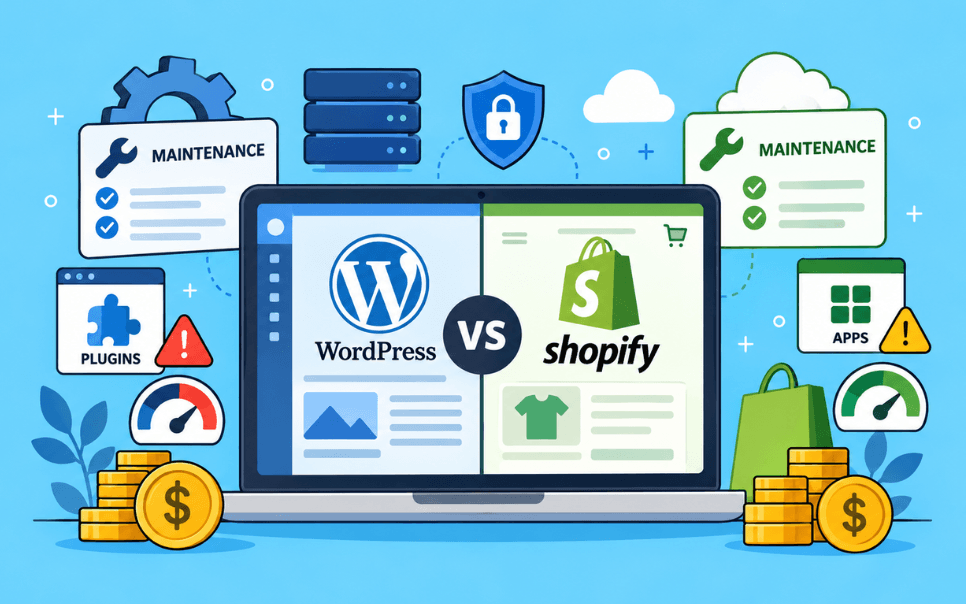
When comparing WordPress vs Shopify maintenance, one question always comes first: Which platform is more cost-effective? But the real cost of running a website goes far beyond the hosting bill or monthly subscription.
Most of the websites' problems do not begin with a dramatic crash. It will be the missed updates and unpatched plugins, or a quiet server hiccup that nobody caught in time. This is where the difference between WordPress vs Shopify maintenance becomes more apparent.
WordPress gives you more control and flexibility, but it also requires you to manage plugins, themes, hosting, updates, and security. On the other hand, Shopify handles most of the technical infrastructure for you, yet apps, themes, integrations, and ongoing store management can still add to your overall costs.
Still unsure which platform is right for your business? This guide will break down the WordPress maintenance costs vs. Shopify maintenance costs, compare their security and downtime risks, and consider more than the upfront expenses to uncover the true CMS total cost of ownership. This will help you budget for what actually happens over the next 2-5 years, not just one year, and arrive at a better-informed decision.
What is WordPress Vs. Shopify Maintenance?
|
Quick Definition WordPress Vs. Shopify maintenance refers to the ongoing technical work required to keep each platform secure, fast, reliable, and available, as well as who handles those responsibilities. |
The main difference lies in who owns and manages the technical upkeep.
-
WordPress Maintenance: WordPress maintenance is the systematic approach of keeping your website updated, secure, optimized, and fully functional.
-
Shopify Maintenance: Shopify Maintenance means all the services that are performed to ensure that your Shopify store is up-to-date, secure, and operates properly. These include, among other things, bug fixes, performance improvements, and security checks.
The choice is not between the two e-commerce platforms. It is essentially a choice between a managed service and a self-managed stack, a difference that influences everything from costs to capabilities.
|
According to W3Techs, WordPress powers 40.7% of all sites and has a 58.9% CMS market share, while Shopify powers 5.3% of all sites and has a 7.7% market share. Although these statistics show how popular both platforms have become, market share does not indicate maintenance cost or difficulty. |
Why Does WordPress vs Shopify Maintenance Matter for Your Budget?
WordPress vs Shopify maintenance matters because the platform you choose decides who is responsible for the maintenance: You, your agency, or the platform itself. This visible monthly platform cost is the only visible part of the CMS total cost of ownership.
But most budgets take into consideration only the launch cost, the design, development, and set-up. However, websites are not a one-off payment. They are ongoing investments, and this difference is felt immediately.
From our experience, this is one of the biggest factors that causes such budget surprises to store owners. A WordPress website that was considered to be "more affordable" at first will eventually turn out to be more expensive when you factor in all the conflicts of plugins, urgent repairs, and security fixes during the next 2–3 years.
CMS Maintenance Comparison: WordPress Vs Shopify at a Glance
The maintenance of WordPress involves manual intervention on the hosting service, plugin usage, and security. Shopify places most of that responsibility on the platform itself.
|
Maintenance Area |
WordPress |
Shopify |
|
Core Software Updates |
Manual, your responsibility |
Core platform updates managed by Shopify |
|
Plugin/App Updates |
Manual, test one by one |
Apps require merchant management |
|
Security Patches |
Manual or agency-managed |
Core platform security managed by Shopify |
|
Backups |
Manual or plugin-based |
Built-in, automated |
|
Malware/Vulnerability Scanning |
Requires separate security plugin |
Handled at the platform level |
|
Downtime Risks |
Higher, depends on host and update discipline |
Lower infrastructure-management burden |
|
Customization Vs Maintenance Tradeoff |
High customization, high maintenance |
Lower customization, lower maintenance |
How Does WordPress Maintenance Work?
WordPress maintenance is the ongoing process of updating, securing, monitoring, and testing your website and its infrastructure. It works through the manual and semi-automated upkeep of your core install, themes, and plugins.
Here is how a typical WordPress maintenance cycle looks:
-
Check for core WordPress updates weekly
-
Update plugins one by one and verify that the website continues to work properly even after the updates.
-
Run regular malware and vulnerability scans to identify security threats before they compromise the website.
-
Take a full website backup before making any major changes to ensure that you can restore the site if anything goes wrong.
-
Monitor hosting uptime to detect any problems that may arise regarding the performance of the server and other resources.
-
Fix broken layouts or functionality issues caused by updates to keep the website running smoothly.
In real-world scenarios, websites that have many plugins installed need to be extensively tested and debugged since updates could cause compatibility problems.
How Does Shopify Maintenance Work?
Maintenance for Shopify is relatively low on the infrastructure front since Shopify provides the hosted environment; however, store owners have their maintenance tasks to perform. It manages the core platform, security, and hosting for you.
With Shopify, your maintenance responsibility largely comes down to:
-
Managing and updating installed apps.
-
Review theme customization after Shopify platform updates to ensure that the website's design and functionality remain intact.
-
Monitoring app performance and checkout speed.
-
Managing subscriptions and app tier costs
-
Review analytics and reports regularly to identify broken links, checkout errors, and other issues affecting the customer experience.
Since Shopify runs the core hosted infrastructure, there is no requirement for the merchant to manage the core server or core platform. But there is a need to test and evaluate apps, themes, and other customizations.
Shopify vs WordPress Maintenance: Which is More Cost-Effective
Shopify is more cost-effective for small to medium businesses that want more predictable monthly costs, while WordPress with WooCommerce can be more cost-effective for large, highly customized stores, but only if you have development resources to manage it.
|
Factors |
Shopify |
WordPress |
|
Setup Cost |
Low, predictable subscription-based setup |
Lower platform cost, but development can vary |
|
Hosting |
Included |
Required separately |
|
Ease of Setup |
Very easy |
Moderate |
|
Maintenance |
Minimal |
Regular updates needed |
|
Security |
Managed by Shopify |
Updates, plugins, and security need attention |
|
Monthly Fees |
Fixed fees |
Variable |
|
Customization |
Limited by theme |
Highly flexible and extensible |
|
Technical Expertise |
Generally lower |
Often higher |
|
Ongoing Costs |
Subscription+apps+development |
Hosting+plugins+development+maintenance |
|
Scalability |
High |
Very high |
|
Ownership |
Platform-based |
Full ownership |
|
Best suited for |
Businesses wanting easier store management |
Businesses wanting control and customization |
Shopify vs WordPress for Ecommerce: Which Wins on the Total Cost of Ownership
For e-commerce businesses, this comparison is even more important.
-
Shopify is an option for businesses that seek a hosted e-commerce solution without having to manage much of the backend infrastructure.
-
WordPress with WooCommerce may be more attractive to businesses that require more control over content, functionality, integration, and technical infrastructure.
CMS total cost of ownership involves setup cost, hosting cost, app or plugin cost, maintenance cost, and downtime cost; it is not limited to the platform cost alone.
Consider Shopify when:
-
You want predictable monthly costs
-
You don’t have in-house developers
-
Minimize the risks of website downtime
-
You prefer an app-based ecosystem
-
Your team wants a more managed platform
Consider WordPress when:
-
You need deep custom functionality
-
Content flexibility is important
-
You already have development resources
-
Your website requires functionality beyond standard ecommerce capabilities
-
You are prepared to apply security patches proactively
Choose Shopify if speed is more important than customization and you do not mind paying per month for a hosted infrastructure that meets your requirements with available themes and plugins.
Choose WordPress with WooCommerce if content helps you acquire customers, you have unique business requirements requiring programming, and you have resources for maintenance.
What are the Risks of Shopify Maintenance?
Shopify maintenance costs are generally more predictable at the infrastructure level, but additional themes, apps, integrations, and customization can increase the overall costs. Some costs can go unnoticed until they begin affecting your profitability. These are some of the common risks associated with Shopify maintenance.
1. App Conflicts and Performance Bloat
With every app that you install, there is an added dependency. More apps mean slower page speeds, and some even become useless after updates by Shopify.
2. Forced Platform Updates
Shopify implements updates at its own pace. Incompatibility with a theme or application may cause you to have a malfunctioning store.
3. Vendor Lock-in
Your store runs entirely on Shopify’s infrastructure. Moving to another platform later involves rebuilding themes, redirects, and third-party app integrations.
4. App Abandonment
If the app developer stops maintaining the app, the problem becomes that of inheriting a flawed system without any way out except to get a new one.
5. Rising Subscription Costs
Apps and plans tend to pile up, and the cost goes up as the number of stores increases, but not always in a clear way.
6. Checkout and Payment Misconfigurations
Mistakes in shipping policies, taxes, and payment processing can quietly cause loss of revenue without detection.
From our experience, app sprawl is one of the most common causes of Shopify maintenance challenges when stores rely on 20-30 apps with overlapping functionality.
What are the WordPress Security Risks?
WordPress maintenance costs can range from relatively low for simple websites and significantly higher for complex ecommerce sites. The cost depends on the platform and the site’s complexity.
Here are some of the most common WordPress security risks.
1. Vulnerabilities in Plugins, Themes, and the WordPress Core
The majority of WordPress vulnerabilities come from third-party plugins, not WordPress core. An unpatched plugin can cause a serious security breach.
2. Weak or Shared Hosting Security
Budget hosting plans may lack essential security measures such as firewalls, malware scanning, and isolated environments, leaving websites more vulnerable to attack.
3. Delayed Core Updates
WordPress releases security patches regularly, but sites that don't update quickly stay exposed to known, publicly documented exploits.
4. File and Database Permission Errors
Incorrectly configured permissions allow attackers to execute code or access confidential information.
5. SQL Injection and Cross-Site Scripting (XSS)
Outdated or poorly coded plugins can expose sensitive database information or allow attackers to execute malicious scripts.
From our experience, the overwhelming majority of WordPress hacks we have fixed have been caused by either an old plugin or a weak admin password without two-factor authentication.
In real-world scenarios, however, sites that have more than 5 old plugins are much more susceptible to vulnerabilities during security scans compared to sites that are regularly updated — and this is precisely why maintenance is more important than patchwork.
Website Maintenance Mistakes That Can Inflate Costs
Most of the website maintenance mistakes happen because businesses treat maintenance as an occasional repair job rather than a continuous process.
❌Skipping Regular Backups
Recovery after an attack costs more than prevention. Security monitoring, patches, access controls, and regular checks should be a part of the ongoing maintenance plan.
❌Installing Too Many Plugins/Apps
Every additional plugin or app introduces another dependency. As these tools accumulate, they can cause conflicts, affect performance, and ultimately increase the ongoing expenses.
❌Delaying Updates
If you delay updating your plugins, themes, apps, and even your security, you might just be setting yourself up for costly repairs rather than simple maintenance.
❌Security Patching Without Testing and Validation
Applying updates without checking whether they affect your website can create new problems. A backup and a rollback plan can reduce the impact of unexpected complexity.
❌No Dedicated Agency or Maintenance Plan
Managing website maintenance without a clear plan may seem like a way to save money, but it often creates higher costs sooner or later.
How Can Bee Online Help With WordPress and Shopify Maintenance?
Bee Online provides ongoing maintenance for both WordPress and Shopify stores, including updates, security, uptime, and backup services on a fixed monthly plan rather than emergency charges.
No matter whether you have a WordPress blog or Shopify website, our maintenance service includes:
-
Security monitoring
-
Scheduled updates
-
Uptime monitoring
-
Automated backups
-
Performance checks
-
Platform-specific expertise
-
A single point of contact
In real world scenerios, clients switching from temporary fixes to Bee Online maintenance tend to experience fewer emergencies, quick resolution of issues, and a predictable cost each month.
If you are wondering whether to choose WordPress or Shopify, or if you have chosen either one of these platforms, our experts will audit your website and point out the areas that may require maintenance.
Get your free maintenance audit consultation from us today!
Frequently Asked Questions
1. Is WordPress or Shopify cheaper to maintain?
For small to medium-sized businesses, Shopify is usually cheaper to maintain because the hosting, security, and updates are all included in one package. But for bigger, more customizable stores that have an in-house development team, it might be less expensive to use WordPress. This is only if they take care of maintenance upfront, because plugins and fix-ups can cost a lot otherwise.
2. What are the hidden costs of WordPress maintenance?
The most significant indirect costs include urgent developer interventions, expensive plugin renewals, hosting upgrades with traffic increases, and cleanup efforts after a hack attack. Website owners normally plan for the basic "core" application but neglect the fact that both plugins and hosting, along with professional management of all of these services, are costly.
3. Which platform is safer for ecommerce?
Both platforms can support secure ecommerce, but they handle security differently. Shopify is relatively more secure when it comes to security right out of the box, as it takes care of security at the server level, PCI compliance, and core updates from a central platform. However, WordPress can be made equally secure with the same effort put into it. It all depends on maintenance and the quality of hosting services.
4. How often should I update WordPress in 2026?
Check for updates weekly and apply security patches within 24-48 hours. Plugins will continue to represent the biggest vulnerability, and therefore they should be updated one at a time.